Why will my item not fit on the shelf in Supermarket Chaos?
Usually wrong tag, full row, or multi-slot frozen item. Less often a true chaos model — see shelf traps above.
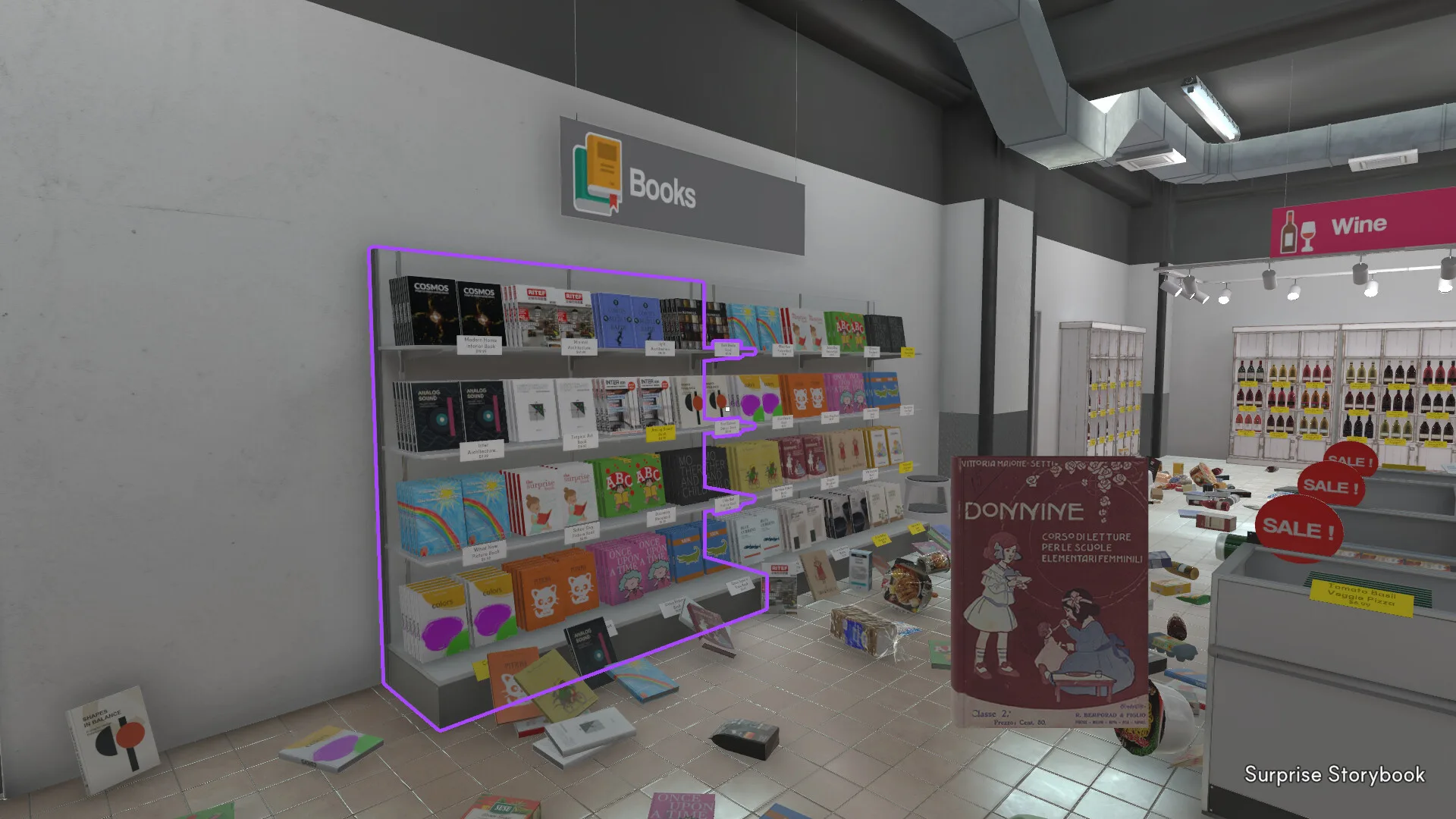
Supermarket Chaos chaos list — misleading items, wrong-shelf traps, and price tag fixes when models or signs do not match intuition.
The Supermarket Chaos chaos list is this wiki's differentiated answer to the game's sharpest pain point: products that look like they belong in one aisle but must snap to a price tag somewhere else. After GPT-9000 scatters 4,668 items, intuition fails more often than skill — and Google has not yet indexed a dedicated query, even though community threads fill with "why won't this fit?" posts within hours of launch.
BunnyHop states the rule on Steam: match the price tag name, not the mesh shape or the department banner overhead. The chaos list collects verified edge cases — wrong 3D models, overlapping Tea/Sweets signage, seafood cans near dairy labels, multi-slot frozen boxes — so you search once instead of walking every aisle on instinct.
This is not a cheat sheet for skipping gameplay. Every chaos row still requires a correct tag placement for coins and achievements. The list saves time by telling you where the tag actually lives when your eyes disagree.
Use it alongside the item search tool, the beginner price tag section, and the sections guide when a mid-tier aisle keeps rejecting products.
| Chaos type | What misleads you | What to trust | Tool |
|---|---|---|---|
| Model mismatch | 3D shape vs product name | Price tag text | Chaos list |
| Sign overlap | Tea vs sweets banners | Tag on shelf row | Item search |
| Multi-slot | Item will not snap in | Free neighboring slots | Sections guide |
| Layout bug | Wine row rejects valid tag | Adjacent tag / patch notes | Wiki updates |
Phase 1 indexes starter Supermarket Chaos chaos products below — each verified against wiki data and cross-checked with launch-week player reports. The table shows the correct section, the price tag string, and why the product trips people up.
More rows will ship as players confirm tags in-game. If you find a new mismatch, finish the placement using the live tag first — fan lists lag patches.
| Product | Section | Price tag | Trap level | Why it confuses |
|---|---|---|---|---|
| Tuna | Seafood | Tuna | High | Community reports model/label confusion with Dairy signs — match the price tag name, not the 3D model. |
| Candy Bar | Snacks | Candy Bar | High | Some community guides list sweets under Breakfast/Sweets signage — follow the in-game price tag text. |
| Croissant | Bakery | Croissant | High | Not every bread item uses the Bakery aisle — check the exact price tag before placing. |
| Fish Pictures | Homegoods | Fish Pictures | High | Community reports penguin/feather art on a fish-named decor item — trust the tag under Homegoods. |
| Cane Sugar | Tea | Cane Sugar | Mid | Sugars often sit near tea signage — not Snacks or Bakery. |
| Sushi | Seafood | Sushi | Mid | Looks like frozen or bento-adjacent packaging — tag is Seafood, not Frozen Foods. |
| Crab Sticks | Seafood | Crab Sticks | High | Players walk toward dairy/cheese signs because of packaging color — tag stays Seafood. |
| Frozen Pizza (large) | Frozen Foods | Frozen Pizza | Mid | May need more than one shelf slot — not a wrong-section error. |
Grouping the Supermarket Chaos chaos list by store section helps when you are clearing one aisle and keep hitting surprises. These are the departments with the most community reports — not because the whole zone is broken, but because a few SKUs punch above their weight in confusion.
Seafood — Tuna and crab sticks dominate early chaos threads: models and colors scream dairy or deli, tags say seafood names. Tea — sugars and box teas share signage with sweets. Bakery — croissants and non-convenience breads overlap breakfast-style labels. Homegoods — decor items like Fish Pictures break name/visual alignment. Frozen Foods — multi-slot products feel like bugs when the section is otherwise correct.
Easy sections still have chaos rows — they are just rarer. When Fruit or Snacks rejects an item, you are usually looking at a wrong tag string, not a chaos model issue.
| Section | Chaos density | Examples | Tier |
|---|---|---|---|
| Seafood | High | Tuna · Crab Sticks · Sushi | B |
| Tea | Mid | Cane Sugar · Box Tea near sweets signs | A |
| Bakery | Mid | Croissant · specialty breads | A |
| Homegoods | High | Fish Pictures · decor mislabels | C |
| Frozen Foods | Mid | Multi-slot pizza · ice cream boxes | B |
| Dairy | Low–Mid | Misplaced players — often seafood models nearby | B |
Matched by build plan, shared topics, and guide progression — not random related links.
Not every failed snap is a chaos item. These Supermarket Chaos shelf traps show up in search threads alongside the chaos list — learn the difference so you do not overcorrect into the wrong section.
Tea vs sweets — Candy and baking goods signage overlaps tea aisles. Read the exact tag: Box Tea is not Candy Bar, even when shelves neighbor each other.
Bakery vs breakfast-style signs — Not every bread-shaped product uses the Bakery section tag you expect; croissants may still land on Bakery tags while other breads route elsewhere. Search the name.
Seafood vs dairy adjacency — Cold-case visuals cluster near cheese and milk tags. Walk to Seafood when the product name is fish or shellfish.
Multi-slot frozen goods — Large frozen boxes need adjacent free slots. Rotate neighbors or clear the row before assuming chaos.
Wine layout quirks — Community reports mention tight wine shelving and early placement bugs. Try the matching tag text on a neighbor slot; patch 1.0.6 targeted label fixes store-wide.
Full shelf rows — White or yellow row highlights can mean correct tag but incomplete row — not a chaos mismatch. Finish the row or shift items before declaring the product cursed.
When Supermarket Chaos rejects a placement, run this workflow before rage-quitting the aisle:
Step 1 — Confirm the product name on your HUD. Step 2 — Search the item search tool or this chaos list. Step 3 — Walk to the listed section and find the tag with identical text. Step 4 — If snap still fails, check multi-slot clearance or a full row. Step 5 — If the live tag disagrees with this page after a patch, trust the game and note the drift for wiki updates.
Optional: cross-reference the wiki items grid for chaos flags on indexed SKUs. For route planning after a chaos spike, see the sections guide mid-tier notes.
Correct placements still pay coins and advance Steam achievements — chaos hunting is not separate from the main loop, just a faster map through the traps.
| Symptom | Likely cause | Fix | Not chaos if… |
|---|---|---|---|
| Will not snap | Wrong tag text | Find exact name tag | Tag matches and row has space |
| Wrong section vibe | Model mismatch | Chaos list / search | Tag already correct |
| Frozen item floats | Multi-slot need | Clear neighbors | Section is Frozen Foods |
| Wine slot weird | Layout / bug | Adjacent tag · patch | Other wine tags work |
Usually wrong tag, full row, or multi-slot frozen item. Less often a true chaos model — see shelf traps above.
No — most products are intuitive. This page grows as players report edge cases; browse the wiki items index for indexed flags.
Seafood with tag Tuna — not Dairy, even when the model confuses you. Listed in known chaos items.
Yes indirectly — correct chaos placements count toward stocking milestones. Wrong guesses do not.
Community reports improved sign text and product names. Re-verify chaos rows if an old trap suddenly snaps easily.
Matched by build plan, shared topics, and guide progression — not random related links.
Skill upgrade priority and section difficulty tiers.
Next step after Chaos list on the stocking path
Local checklist for sections and achievements.
Tool that supports Chaos list workflows
Supermarket Chaos sections guide — all 16 store sections explained with difficulty tiers, stocking order tips, price tag notes, and links to the wiki database.
Natural follow-up after Chaos list